Guides · updated 19 Nov 2026
Spam blacklists: what a listing means and how to get off one
How DNS blocklists flag domains and mail server addresses, why a listing may not be your fault, and how to check, fix the cause and request removal from lists such as Spamhaus and SpamCop.
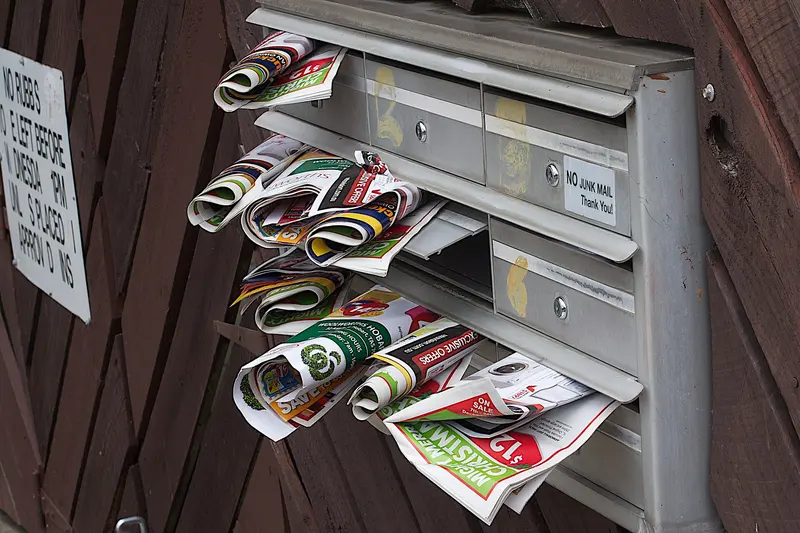
If emails from your domain start bouncing, or a report shows your domain on a "blacklist", it can look alarming. Most listings have a cause you can find and fix, and many lists remove entries by themselves once the problem stops. This guide explains how the lists work, what a listing means and what to do about one.
What a spam blacklist is
Spam blacklists, more politely called blocklists, are lists that mail systems check when deciding whether to accept, reject or score a message. Most are published through DNS. RFC 5782 describes how they work:
- IP lists (DNSBLs) hold the addresses of servers that have sent spam or are otherwise suspect. To check
192.0.2.99, a mail server reverses the address and looks up99.2.0.192under the list's own domain. - Domain lists (sometimes called RHSBLs or URI lists) hold domain names seen in spam, such as the domains in links inside spam messages. These are looked up as
example.comfollowed by the list's domain.
If the name exists, the address or domain is listed. The answer is usually an address such as 127.0.0.2, which is a code, not a real server, and many lists also return a short text reason. If nothing comes back, it isn't listed.
Each list is run by a separate organisation with its own rules for adding and removing entries. Some are cautious and some are aggressive. Mail providers choose which lists to use and how much weight to give each one.
IP listings and domain listings
It matters which kind of listing you have:
- Your domain on a domain list usually means it has appeared in spam, phishing or malware, often in links. Spamhaus says its Domain Blocklist also lists hostnames on legitimate sites that have been hacked and are being misused.
- Your mail server's IP address on an IP list affects every message sent from that address, whatever domain it carries.
- Your website's IP address on an IP list matters less for email, but can be a sign of trouble on the server.
Why you might be listed
- A hacked website or email account. Spamhaus names outdated software, weak security and fraudulent access as typical causes of a hacked site. A compromised mailbox can be used to send spam in your name.
- A shared server. On shared hosting, many websites share one IP address. If another customer sends spam, the address can be listed, and the listing then appears against your site too. A Domain Statistics report points this out in its Spam blacklists panel.
- Policy lists. Some lists aren't about spam at all. Spamhaus says its PBL is a list of IP addresses that shouldn't be sending email directly to the internet, such as home broadband ranges, and that it is not a list of spamming addresses. A listing there doesn't mean anyone has done anything wrong. Mail from those addresses is expected to go out through a mail server instead.
- Your own sending habits. Mailing people who didn't ask for your messages, or old lists full of dead addresses, leads to complaints and spam reports. Gmail and Yahoo also expect bulk senders to keep spam complaints low (sender rules).
Does the listing actually matter?
Spamhaus advises checking your mail server logs before taking any action. If your messages aren't bouncing, a listing may not be affecting you. Some lists are used by few mail providers, and SpamCop, for example, encourages its users to tag and divert suspect mail rather than block it outright.
If messages are being rejected, read the bounce message. It often names the list and the IP address or domain that was matched. Spamhaus warns that some bounces are inaccurate, so check the address it gives really is your outgoing mail server.
How to get off a list
- Find out what is listed. Run your domain through the Domain Statistics lookup. The Spam blacklists panel checks the domain and the addresses of its website and mail servers against a set of lists, and names any that report a listing. Our methodology page explains which lists are checked.
- Look it up on the list's own site. Each list has a lookup page that gives the reason and the removal process, such as the Spamhaus checker or the SpamCop lookup. Spamhaus says its form is for manual use only.
- Fix the cause first. Remove malware, update your CMS and plugins, change passwords, and close any open mail relay or contact form that's being abused. If you're on shared hosting and the problem isn't yours, contact your host. It may be able to move you to a clean address.
- Then ask for removal, if the list needs you to. Many lists remove entries by themselves. SpamCop says IP addresses are delisted automatically after 24 hours with no new spam reports, with up to four more hours for the change to reach every server, and it may not answer requests for early removal. Spamhaus says most domain listings expire once the activity stops, and that you can also follow the instructions in its lookup form, though removal isn't guaranteed.
- Don't pay for removal from a reputable list. Spamhaus says there is never a charge for removing any of its listings.
Preventing it happening again
- Publish SPF, DKIM and DMARC so others can't easily send mail pretending to be you, and so you get DMARC reports showing who is (how to set them up).
- Keep your website software and plugins up to date, and protect contact forms against misuse.
- Use strong, unique passwords and two-step sign-in on email accounts.
- Send marketing email only to people who signed up, and remove addresses that bounce.
- Check your domain from time to time. A Domain Statistics report shows the blacklists panel alongside your DNS and email records.
Details above are as published by the list operators, checked in November 2026. Each list sets its own rules, so follow the instructions on its lookup page.
Sources
- rfc-editor.org — RFC 5782, DNS Blacklists and Whitelists (Informational, February 2010): IP lists queried by reversing the address's octets in front of the list's zone; any A record (conventionally 127.0.0.2) means listed; TXT record gives the reason; domain-based lists (RHSBLs); 127.0.0.2 test entry, 127.0.0.1 never listed
- spamhaus.org — Spamhaus DNSBL usage FAQ: the PBL lists IP space that should not send email directly and is not a list of spamming IP addresses; check mail logs and bounce messages before acting; test the rejected IP in the lookup form at check.spamhaus.org; the form is for manual use only
- spamhaus.org — Spamhaus Domain Blocklist FAQ: domains with poor reputation; mostly automatic listings that expire once the activity stops; "abused legit" listings of hostnames on hacked legitimate sites, with clean-up advice; removal through the lookup form is not guaranteed; never a charge for removing any Spamhaus listing
- spamhaus.org — Spamhaus IP and Domain Reputation Checker
- spamcop.net — SpamCop Blocking List: time-based, delisted automatically when reports stop; encourages users to tag and divert mail rather than block it outright; "Am I listed?" lookup
- spamcop.net — SpamCop FAQ for ISPs and administrators: IPs are delisted automatically after 24 hours with no new spam reports; up to 4 hours to reach mirrors; early delisting requests may not be answered
Facts checked on 19 Nov 2026. Rules and figures change — check the source if it matters.