Blog · · 3 min read
Delivery texts and 'missed parcel' messages: how to read a link before you tap it
December brings a flood of real and fake delivery messages. How to find the part of a web address that tells you who really owns it, and how to report the fakes for free.
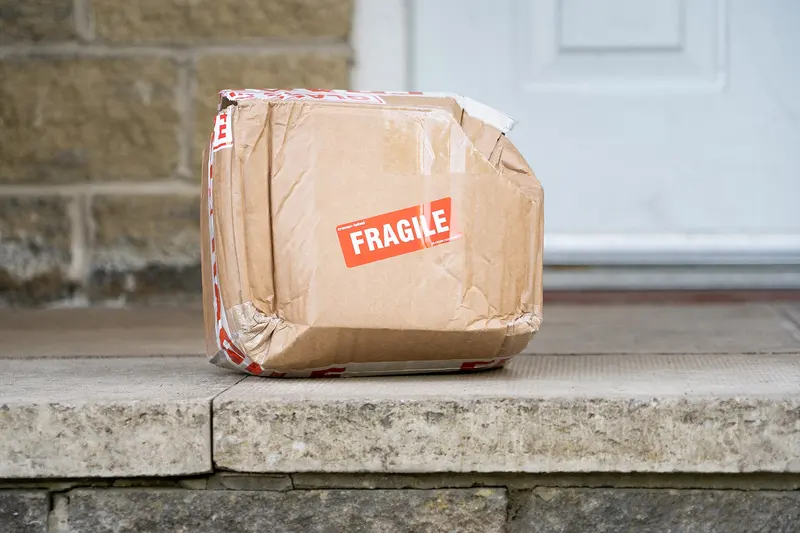
With online orders at their peak, December is the month when a "we tried to deliver your parcel" text is most likely to be believed. Scammers know this. The NCSC lists current events and times of year among the tricks scam messages use, alongside urgency (pay within 24 hours), authority (a courier, a bank, a government department), emotion and scarcity.
The good news is that a web address carries a clue that is hard to fake: who owns the domain. This article shows how to read it, without tapping anything.
Don't tap — read
On most phones you can see a link's full address without opening it: in a text it is usually printed in full; in an email you can press and hold the link (phone) or hover over it (computer) to preview where it goes. Do that first.
Find the owner's part of the address
A web address reads from right to left in order of importance. Take
https://parcel-redelivery.example-help.com/uk/track?id=123
httpsis just the method of connection.- Everything after the first single
/(/uk/track?id=123) is a page on the site. It can say anything. comis the public ending.example-help.comis the registrable domain — the name someone actually registered. This is the owner.parcel-redelivery.is a subdomain, which the owner of example-help.com can set to any words they like.
So that link belongs to example-help.com, whatever the words in front of it say. The same goes for courier.uk.example.net (owned by example.net) or www.gov.uk.example.top (owned by example.top).
The tricky part is endings with more than one label, such as .co.uk or .org.uk. In track.courier.co.uk, the registrable domain is courier.co.uk, not co.uk. Browsers and our lookup use the Public Suffix List to know where the public ending stops. The list's own page says one of its uses is to highlight the most important part of a domain name in the browser.
- Registrable domain
- The part of a name that someone can actually register: the public suffix plus the one label in front of it. For www.shop.example.co.uk the public suffix is co.uk, so the registrable domain is example.co.uk.
- Subdomain
- A domain that sits inside another one: shop.example.co.uk is a subdomain of example.co.uk. Whoever controls a domain can create subdomains beneath it without registering anything new.
- IDN
- Internationalised domain name: a domain name containing characters beyond the basic a-z, 0-9 and hyphen, such as accented letters or non-Latin scripts. In the DNS itself an IDN is stored in an ASCII form that begins xn--.
Other things to notice
- Short-link services and long random strings. A shortened link hides the real address. A genuine courier will let you track a parcel by typing its address yourself and entering the tracking number.
- Look-alike characters. Domain names can contain non-Latin letters, and some look almost identical to Latin ones. If an address shows an xn-- part, that is the encoded form of such a name — read it carefully.
- A small fee. Many fake delivery messages ask for a small payment to "rebook". The fee isn't the point — the card details are.
- QR codes. The NCSC advises being wary of QR codes in messages; a code is just a link you can't read.
If you're unsure, the NCSC's advice is to contact the organisation directly using details from its official website, not the number or link in the message. Citizens Advice adds: don't reply to the message to check it.
Report it — it is free
- Texts: forward the message to 7726. Most UK mobile networks take part; the service is free. Your network can investigate the sender and block it. Note the sender's number first. The NCSC page shows the steps on iPhone and Android.
- Emails: forward them to the NCSC's Suspicious Email Reporting Service (the address is on the NCSC's phishing pages).
- Websites: report the link to the NCSC with its scam website form, without opening the site. The NCSC says it acts on every report, though it can't tell you the outcome.
If you have already entered card details or lost money, call your bank on the number on your card, then report it to Report Fraud (England, Wales and Northern Ireland, 0300 123 2040) or Police Scotland on 101.
Checking a domain on Domain Statistics
You can paste just the domain — not the full link — into our lookup to see when it was registered, where it is hosted and whether it appears on spam blacklists. A lookup never visits paths or query strings from visitors, only the bare hostname, so you don't open the scam page by checking it. A domain registered a few days ago that claims to be a national courier tells you a lot. Our guide to spam blacklists explains what a listing does and doesn't mean.
General information only, not legal, financial or security advice for your situation. Rules and services change — check the source before relying on it.